Guide to Safe Digital Image Backup Alternatives to Hard Drives
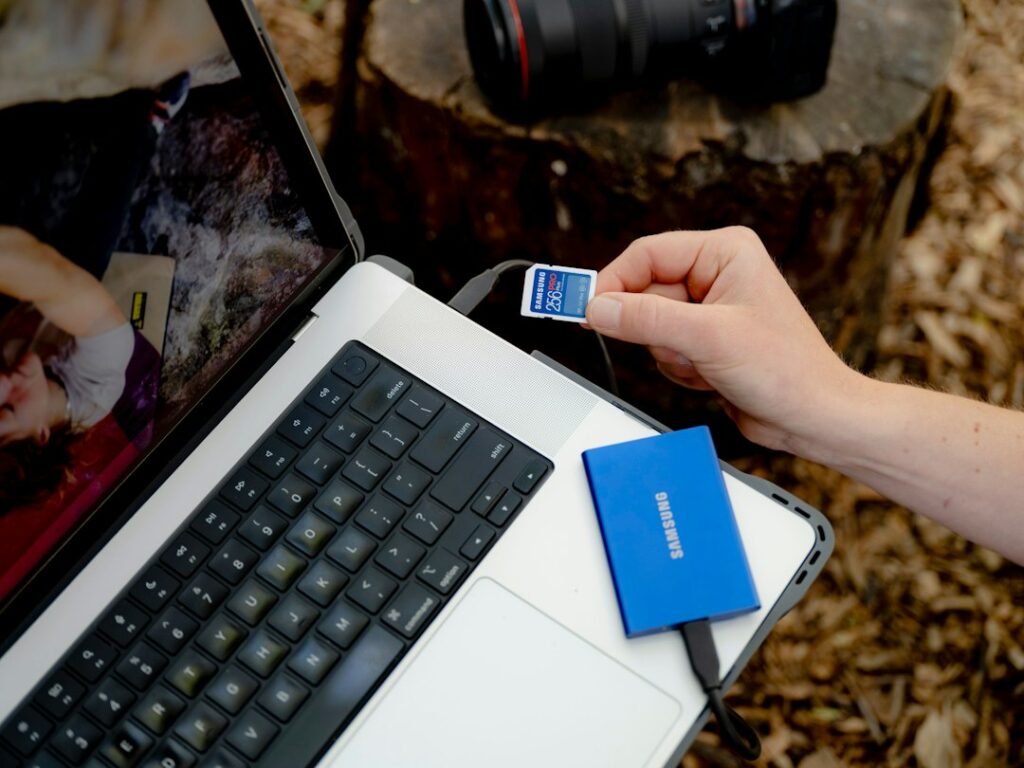
In the digital age, hard drives have long been the go-to solution for storing vast amounts of data, including precious digital images. However, relying solely on hard drives for backups comes with inherent risks that users must acknowledge. One of the primary concerns is the potential for hardware failure. Hard drives, whether traditional spinning disks or solid-state drives, can fail unexpectedly due to mechanical issues, power surges, or even manufacturing defects. Such failures can lead to irreversible data loss, leaving individuals and businesses scrambling to recover their valuable files.
Moreover, hard drives are susceptible to environmental factors such as heat, humidity, and physical damage. A simple drop or spill can render a hard drive inoperable, jeopardizing the data stored within. Additionally, hard drives can be vulnerable to malware and ransomware attacks, which can corrupt or encrypt files, making them inaccessible. Understanding these risks is crucial for anyone who values their digital images and wants to ensure their long-term preservation.
For those exploring safe digital image backup alternatives to traditional hard drives, it’s essential to consider various options that enhance data security and accessibility. A related article that delves into innovative backup solutions is available at this link. This resource provides insights into cloud storage, external SSDs, and other modern methods that can help ensure your precious images are securely stored and easily retrievable.
Benefits of Exploring Alternative Backup Solutions
Given the risks associated with hard drive backups, exploring alternative solutions becomes imperative for safeguarding digital images. One significant benefit of diversifying backup methods is enhanced security. By utilizing multiple storage options, individuals can create a more robust safety net for their data. This approach minimizes the likelihood of total data loss, as it reduces dependence on a single point of failure. For instance, combining local storage with cloud solutions can provide an effective buffer against unforeseen disasters.
Additionally, alternative backup solutions often offer greater accessibility and convenience. Cloud storage services allow users to access their files from anywhere with an internet connection, making it easier to retrieve images on-the-go or share them with others. Network Attached Storage (NAS) systems provide centralized access for multiple users within a network, streamlining collaboration and file sharing. By exploring these alternatives, individuals can not only enhance their data security but also improve their overall workflow and efficiency.
Cloud Storage Services: A Reliable Digital Image Backup Option
Cloud storage services have emerged as a popular choice for backing up digital images due to their reliability and ease of use. These services allow users to store their files on remote servers maintained by third-party providers, ensuring that data is accessible from any device with internet connectivity. One of the key advantages of cloud storage is its scalability; users can easily increase their storage capacity as their needs grow without the hassle of purchasing additional hardware.
Moreover, cloud storage services often come equipped with advanced security features such as encryption and multi-factor authentication. These measures help protect sensitive data from unauthorized access and cyber threats. Additionally, many cloud providers offer automatic backup options, ensuring that new images are consistently saved without requiring manual intervention. This level of automation not only saves time but also reduces the risk of human error in the backup process.
Network Attached Storage (NAS): Centralized and Secure Backup
Network Attached Storage (NAS) systems present an excellent solution for those seeking a centralized and secure backup option for their digital images. A NAS device connects to a home or office network, allowing multiple users to access and store files from various devices seamlessly. This centralized approach simplifies file management and enhances collaboration among team members or family members who may need access to shared images.
In addition to convenience, NAS systems offer robust data protection features. Many NAS devices come equipped with RAID (Redundant Array of Independent Disks) configurations that provide redundancy in case of a hard drive failure. This means that even if one drive fails, the data remains intact on another drive within the array. Furthermore, NAS systems often support automated backup schedules and remote access capabilities, allowing users to manage their backups efficiently while ensuring that their digital images are secure and readily available.
When considering backup options, individuals often find themselves weighing the pros and cons of external solid-state drives (SSDs) against traditional hard drives (HDDs). SSDs have gained popularity in recent years due to their superior speed and durability compared to HDDs. Unlike traditional hard drives that rely on spinning disks and mechanical components, SSDs use flash memory technology, resulting in faster read and write speeds. This speed advantage can significantly reduce backup times and improve overall efficiency when transferring large image files.
Moreover, SSDs are generally more resistant to physical shock and damage than HDDs, making them a safer choice for portable backups. Their lack of moving parts means they are less likely to fail due to drops or bumps during transport. However, it is essential to note that SSDs tend to be more expensive per gigabyte than traditional hard drives, which may influence users’ decisions based on budget constraints. Ultimately, the choice between SSDs and HDDs will depend on individual needs regarding speed, durability, and cost-effectiveness.
For those looking to explore various options for safeguarding their digital images, a comprehensive resource can be found in the article on alternative backup solutions. This guide not only discusses the benefits of moving away from traditional hard drives but also highlights innovative methods to ensure your precious memories are securely stored. By considering these alternatives, you can enhance your digital storage strategy and protect your images from potential data loss.
Utilizing Optical Media: DVDs and Blu-rays for Archival Storage
While digital storage solutions dominate the landscape today, optical media such as DVDs and Blu-rays still hold value for archival storage of digital images. One of the primary advantages of using optical media is its longevity; properly stored discs can last for decades without degradation. This makes them an excellent option for preserving important images over the long term without the risk of hardware failure associated with electronic devices.
Additionally, optical media provides a tangible backup solution that can be stored offline, reducing vulnerability to cyber threats such as hacking or ransomware attacks. Users can create physical copies of their most cherished images and store them in a safe location away from their primary devices. However, it is essential to consider that optical media has limitations in terms of storage capacity compared to modern digital solutions. While DVDs typically hold around 4.7 GB of data and Blu-rays can store up to 25 GB or more per disc, larger image libraries may require multiple discs or alternative backup methods for comprehensive coverage.
USB Flash Drives: Portable and Convenient Backup Choices
USB flash drives have become a popular choice for individuals seeking portable and convenient backup options for their digital images. These small devices offer significant storage capacity in a compact form factor, making them easy to carry around and use on various devices. Their plug-and-play functionality allows users to quickly transfer files between computers or other devices without the need for additional software or setup.
One of the key benefits of USB flash drives is their versatility; they can be used for both backup purposes and everyday file transfer needs. Users can create multiple copies of their images on different flash drives for added redundancy or use them as a quick way to share files with friends or colleagues. However, it is crucial to remember that USB flash drives are not immune to failure; they can be lost or damaged just like any other physical storage medium. Therefore, while they serve as an excellent supplementary backup option, relying solely on USB flash drives may not provide adequate protection against data loss.
Online Backup Services: Automated and Continuous Protection
Online backup services have revolutionized the way individuals approach data protection by offering automated and continuous backup solutions for digital images. These services operate in the cloud, allowing users to back up their files without manual intervention continually. Once set up, online backup services automatically detect changes in designated folders and upload new files or modifications in real-time or at scheduled intervals.
The convenience of online backup services cannot be overstated; users no longer need to remember to perform regular backups manually or worry about forgetting important files. Additionally, many online backup providers offer features such as versioning, which allows users to restore previous versions of files if needed. This capability is particularly valuable when dealing with image editing projects where changes may need to be reverted. Furthermore, online backup services typically employ strong encryption protocols to ensure that data remains secure during transmission and storage.
Hybrid Backup Strategies: Combining Multiple Methods for Safety
To maximize data protection for digital images, many individuals are turning to hybrid backup strategies that combine multiple methods into a cohesive plan. By integrating local storage solutions such as external hard drives or NAS systems with cloud-based options like online backup services or cloud storage platforms, users can create a comprehensive safety net for their valuable files. This approach mitigates the risks associated with relying solely on one method while enhancing overall data security.
For instance, a user might choose to back up their images locally on an external SSD for quick access while simultaneously uploading copies to a cloud service for off-site protection against disasters such as fire or theft. This dual-layered strategy ensures that even if one method fails or becomes compromised, another remains intact and accessible. Hybrid strategies also allow users to tailor their backups based on specific needs; they can prioritize critical files for immediate backup while scheduling less urgent backups at convenient intervals.
Best Practices for Organizing and Managing Digital Image Backups
Effective organization and management of digital image backups are essential components of any successful data protection strategy. Users should establish a clear folder structure that categorizes images based on criteria such as date, event, or subject matter. This organization not only simplifies retrieval but also aids in maintaining consistency across different backup methods.
Additionally, implementing a regular schedule for reviewing and updating backups is crucial for ensuring that all new images are accounted for and securely stored. Users should periodically check their backup systems for any errors or issues that may arise over time. Keeping detailed records of what has been backed up and where it is stored can further enhance management efforts and provide peace of mind knowing that valuable memories are protected.
Ensuring Data Integrity: Regular Testing and Backup Verification
To maintain confidence in backup systems, regular testing and verification of data integrity are paramount. Users should periodically restore files from backups to confirm that they are accessible and intact. This practice helps identify potential issues early on before they escalate into significant problems that could lead to data loss.
Moreover, employing checksum verification methods can further enhance data integrity by ensuring that files remain unchanged during storage or transfer processes. By generating unique checksums for each file at the time of backup and comparing them during restoration attempts, users can detect any corruption or alterations that may have occurred over time. Implementing these practices not only safeguards digital images but also fosters a proactive approach toward data management in an increasingly digital world.
In conclusion, understanding the risks associated with hard drive backups is essential for anyone looking to protect their digital images effectively. By exploring alternative solutions such as cloud storage services, NAS systems, external SSDs, optical media, USB flash drives, online backup services, hybrid strategies, and best practices for organization and verification, individuals can create a comprehensive approach to safeguarding their valuable memories against potential loss or damage.